

Nile Stanley and Brett Dillingham see the value in connecting learning literacy, language, and technology through storytelling
What Is Digital Storytelling?
Storytelling is the oldest form of teaching and probably the best way to learn. Recent research indicates our brains are actually “hard wired” to remember information in storytelling format (Willingham, 2004). Storytelling has received a wealth of support as an important teaching tool grounded in constructivist learning principles (Stanley and Dillingham, 2010). Digital storytelling is storytelling that contains some mixture of computer-based images, text, recorded audio narration, video clips, or music. We have created digital storytelling projects with Alaska Natives, in Irish schools, with undergraduate and graduate students in education, and with inner-city populations in the southern United States. No matter the group or location, digital storytelling captivates, engages, and educates.
Why Digital Storytelling?
When it comes to learning language with new media it seems our students are En La Frontera — on the border — having two separate lives. Like digital natives, most of our students have been surrounded by computers, the Internet, mobile phones, iPods, digital cameras, and video games since a pre-school age. They often are more comfortable with technology than their teachers. Paradoxically, today’s students — except for most children of poverty — live a digitally-saturated life away from school, but live a relatively digital-free life at school (U.S. Department of Education, 2010). Many teachers have not had the preparation to integrate technology in their classrooms, or emphasize it in their language teaching (Velazquez-Torres, 2006). To connect learning literacy, language, and the ubiquitous technology that surrounds us, we suggest teachers take a close look at digital storytelling and what it has to offer.
Create a Story, Not a Bad Movie!
We contend that digital storytelling instruction will be most successful with second language learners if grounded in constructivist learning principles and informed by the professional standards for both students and teachers (see resources). Furthermore, we believe that the learner’s storytelling is more important than the technology. Technology can enhance a story. However, an engaging story with an interesting beginning, problem, solution, and ending should be the driving force behind any project. What our students are saying should always be more important than how they are saying it. We’ve come to the same conclusion as digital storytelling expert and author Jason Ohler (2008, p.6): “All technology is an amplifier… and what happens when you give a bad guitar player a bigger amplifier? Ouch!” That is to say, we have been part of incredible digital storytelling projects of which any teacher, parent, or community member would be proud, but we have also witnessed others (not by our students!) that left us with the same feeling one gets from a Hollywood movie that concentrated on special effects only to let bad acting, empty dialogue, and a weak story ruin the film. No technology or special effects can replace a well-developed story complete with literary elements and personal voice.
How does the teacher insure effective integration of digital storytelling into the curriculum? Teachers can show students how to use computer tools for accessing information, interpreting, and organizing their personal knowledge to produce and represent what they know to other people. Sadik (2008), researching the Egyptian Ministry of Education’s initiative of integrating technology, found that teachers could use digital storytelling successfully to increase student engagement in learning. Similarly, Adams (1999) reported that at Lopez High School in Brownsville, Texas, digital storytelling helped transform the attitude of teachers toward technology, and of English Learner immigrant students toward themselves. The technology tools were affordable and easy to learn. Adams (1999) recounted a quote by educator Jason Ohler: “You don’t have to be a technical whiz to teach digital storytelling. If you have an open mind and classroom management skills, and are willing to use students as resources, it can work.” Drawing on data from a multi-year case study with an immigrant child and adult, Hull and Katz (2006) concluded the most pivotal effect of learning with digital storytelling was its effect on the individual’s self efficacy: “…the opportunity [with digital storytelling] to be successful as a learner and doer can foster a view of self as agent, able to influence present circumstances and future possibilities, and to situate self in relation to others in socially responsible ways.”
The full impact of digital storytelling on language learning has yet to be thoroughly researched. The U.S. Department of Education’s Technology Plan (2010) provides for grants in much needed research on digital learning with “a particular focus on the identification of evidence and increasing the level of understanding of what strategies and innovations work for what students under what circumstances.”
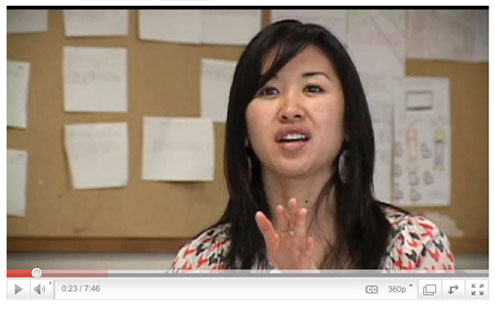
Opp-Beckman, & Klinghammer, S.J. (2006) are authors of a popular English as a Second Language (ESL) video module teacher training series, “Shaping the Way We Teach English,” on YouTube http://www.youtube.com/watch?v=Qu2JRqTdtGQ. Their research underscores that the foundation of successful language learning practices should:
• Emphasize a social, constructivist, inquiry-based approach,
not a lecture, “talking head” approach.
• Build language awareness so learners become better, more
conscious participants in their own leaning as they do the work of
analyzing and reflecting on language and its use.
• Practice contextualization, the meaningful use of language for real communicative purposes.
• Use technology to personalize the learning experience to
communicate authentically and purposively with others.
• Develop the primary skills of speaking, listening, reading,
and writing.
• Integrate the skills of critical thinking, analysis, synthesis, research, negotiation, and community building.
• Integrate skill development (e.g. word study, pronunciation, fluency, comprehension, spelling and grammar) in meaningful context.
Digitize stories with Movie Maker
So how does one evoke the electronic muse and get started composing digital stories? Many different software programs are available that support Digital Storytelling. Windows Movie Maker software is easy to use and comes already installed on many PCs. You can use the Google Image search engine to find free, non-copyrighted pictures that support your student’s electronic remaking of classic stories by their favorite authors, or record performances of students’ original stories with a digital video camera. Download the videos to Movie Maker, use a microphone to do voice-over narration where necessary, and add music (either free downloads or original songs if you’re musically inclined). Final E-story projects can be published on DVD, BlackBerry, iPod, YouTube or Teacher Tube. Raven Day, an original folktale told by storyteller Brett Dillingham is another good example of the use of Movie Maker and may be viewed at http://www.youtube.com/watch?v=wvTrd-vUDxQ. You can view several examples of ESL digital storytelling on YouTube. If you do not have access to Movie Maker, visit the University of Houston
Center of English technology tools website http://digitalstorytelling.coe.uh.edu/technology_tools.html
where you will find links to the step-by-step, online manuals of the
recommended software programs used to do digital storytelling: Microsoft Photostory, Apple iMovie, Adobe Photoshop Elements, and Adobe Premier Elements.
What does digital storytelling development for second language look like at the Beginning, Intermediate, and Advanced levels? It is the language proficiency and technical tools skill development and not the age or grade level that matters with digital storytelling. Storytelling can be at any level. Beginning digital storytellers learn and practice the basics in order to find their voice. Suggested activities include:
• Tell personal stories about self, family, pets, ideas, and experiences, using sound, expression and movement. Create a visual portrait of the story. Rehearse and perform for class. Practice retelling another’s story.
• Write a narrative paragraph about yourself using a word processor or dictate to a teacher or capable peer, use a spelling and grammar check, and share with others through email, blog or other social network.
• Learn how to record personal stories with the proper pacing, inflection, and tone using a microphone and computer recording software.
• Collect visual, audio and other sensory materials to tell a story. Use search engines to find images, music, and sound effects in the public domain and download to the desktop to create a PowerPoint presentation of a story.
Intermediate digital storytellers need to hone their voice by drawing on literary and content area texts and using more sophisticated technologies such as:
• Learn to use authoring software with online tutorials such as Movie Maker, iMovie and Photostory to do creative retellings of favorite stories, books, and events.
• Enter a video production contest and film stories of historical events or scientific discoveries from multiple viewpoints.
• Research different folklore and tell urban legends in a digital storytelling festival via a podcast, webinar or YouTube.
• Produce a digital recipe book with interesting stories compiled by your class, disseminate through DVD, and sell it as a fundraiser.
Advanced digital storytellers use story as a powerful, community-changing tool when they share their voice and leverage technology as experts, continually adapting and learning to creatively and responsibly work and play in a globally competitive workforce.
• Explore identities through storytelling about gender race and culture. Learn new technology tools and techniques from an online mentor.
• Challenge familiar stories about controversial people and events by examining what is missing or underrepresented. Consult a reference librarian and learn new online research databases.
• Interview recent immigrants and retell their stories creatively (e.g. children’s Ebook, claymation, puppetry, a musical, or storytelling festival).
• Influence and guide others toward a civic minded goal by creating a public service campaign (e.g. “save our library,” increase Broadband internet access, encourage equitable financial aid for immigrant
students.)
Evaluation
The following are some general instructional strategies for teaching and improving live and digital storytelling performances that should be used at all levels.
Use modeling, feedback, discussion, and guided practice. We have used the following simple but very powerful discussion process effectively to evaluate child and adult storytelling performances at all levels. After the storytelling performance, ask the audience, “What did the storyteller do to make this a good storytelling? What sounds, expressions, and movements did the storyteller do well?” You want students to focus on how the story was told, not the content. Specifically, you want them to think about how well the storyteller used sound, movement, and expression to tell the story. After several students have shared the positives, ask “What could the storyteller do to make the performance even better?” You want the performer to internalize the process so it becomes self-evaluation (“What can I do to make my performance better?”).
Model the language of response and criticism. Teachers must model constructive as well as critical feedback without using harsh words in order to teach effective storytelling. Ask, “What did I do to make this a good storytelling?” and then model a positive response: “I liked the way you moved like a fish, spoke loudly enough, made that train sound. Follow up with, “What could I do to make it even better?” and then model a response like the following: “To make it even better, you might want to speak up louder, pretend to be talking into a phone, look scared when the door opens, etc.” Storytellers learn to use variations of these two questions. This language is polite yet direct and useful to the storyteller so he or she can improve the story.
Tell stories or view digital ones in small groups and get feedback. Students tell their stories to a group of three to five of their peers, integrating sound, expression, and movement. Tell the storytelling audience to pay close attention so they can provide feedback about the performance. Upon finishing the story, the storyteller asks the group, “What did I do to make this a good storytelling?” Tell them not to speak out but to raise their hands and wait to be called upon. After two or three responses, the student asks, “What could I do to make it even better?” The group responds with the appropriate language, modeled by the teacher. In this process, students become open to being critiqued as storytellers (and as writers). Students can retell their stories and target specific techniques from the Storytelling Performance Rubric below that they wish to improve, such as remembering to use different voices for different characters. After students perform their story again, the group can respond with feedback about how the storytellers improved upon the targeted technique. This type of guided practice increases confidence and improves performance.
Digital Storytelling Rubric
(from Stanley and Dillingham, 2009, p. 109)
Story
Is the story engaging, with an interesting beginning, problem, solution and ending?
Detail
Is the story told with enough detail to be coherent?
Point of View
Does the story have a clear purpose and point of view?
Narration
Is the voice narration clear and match the story line? Does it and flow well with the content and images?
Pacing
Does the pacing of the narrative keep the audience engaged?
Grammar and Language Use
Are grammar and language use correct and appropriate for the telling of this particular telling the story?
Images
Are the background images high quality and appropriately
coordinated with the different scenes in the story?
Music
Does the music match the story line and tone?
Professionalism
Does the author have a title and credits page?
Does the credits page contain appropriate reference
citation/permission for any copy written material?
We shortchange our students when we say the technology we use is too expensive, complicated, or distracting to integrate with language learning. According to educator Jason Ohler (2010), author of Digital Community, Digital Citizen, a primary mission of educators should be to help students understand not only how to use technology, but more importantly, when and why. Technology is redefining our roles as citizens in today’s globally connected infosphere. Digital storytelling (Stanley and Dillingham, 2009) offers an easy way for language educators to integrate technology with teaching, and to help students blend personal empowerment with community responsibility.
Resources
FreeESLMaterials.com lists over 50 sites for digital storytelling
http://www.freeeslmaterials.com/digital_storytelling.html
Teachers of English to Speakers of Other Languages (TESOL)
Technology Standards for Language Teachers http://www.tesol.org/s_tesol/sec_document.asp?
CID=1972&DID=12052
Technology Standards for Language Learners
http://www.tesol.org/s_tesol/sec_document.asp?
CID=1972&DID=12051
International Society for Technology in Education (ISTE)
National Educational Technology Standards (NETS): http://www.iste.org/AM/Template.cfm?Section=NETS
References
Adams, C, (1999). “Digital Storytelling.” Instructor.119 (3).,35-38.
Opp-Beckman, & Klinghammer, S.J. (2006). Shaping the Way We Teach English: Successful Practices Around the World. Washington, DC. Office of English Language Programs. Retrieved on November 13, 2010, from http://oelp.uoregon.edu/03_manual_20060319.pdf
Hull, G. A., & Katz. M. L. (2006). “Crafting an Agentive Self: Case Studies of Digital Storytelling.” Research in the Teaching of English, 41 (1),43-82.
Ohler, J. (2008.) Digital Storytelling in the Classroom: New Media Pathways to Literacy, Learning, and Creativity. Thousand Oaks, CA: Corwin Press.
Ohler, J. (2010). Digital Community, Digital Citizen. Thousand Oaks, CA: Corwin Press.
Sadik, A. (2008). “Digital Storytelling: A Meaningful Technology-Integrated Approach For Engaged Student Learning.” Educational Technology Research and Development, 56 (4) 487-507.
Stanley, N. & Dillingham. N. (2010, November). “Telling Tales: Nile Stanley and Brett Dillingham Explain the Benefits of Teaching Performance Literacy through Storytelling.” Language Magazine, 10 (1), 27-29.
Stanley, N. , & Dillingham, B. (2009). Performance Literacy through Storytelling. Gainesville, FL: Maupin House.
United States Department of Education (2010). Transforming American Education: Learning Powered by Technology. Washington, DC: Office of Educational Technology. Retrieved on November 13, 2010, from http://www.ed.gov/technology/netp-2010
Velazquez-Torres, N. (2006). “How well are ESL Teachers Being Prepared to Integrate Technology in their Classrooms?” The Electronic Journal for English as a Second Language. Retrieved on November 13, 2010, from http://www.tesl-ej.org/wordpress/issues/volume9/ej36/ej36a1/
Willingham, D. T. (2004). “ Ask the Cognitive Scientist: The Privileged Status of Story.” American Educator, 28(2) ,43-45;51-53.
Nile Stanley (nstanley@unf.edu) is an associate professor of Childhood Education at the University of North Florida.
Brett Dillingham (brett@brettdillingham.com) is an internationally known storyteller from Juneau, Alaska and director of the Performance Literacy Institute.